
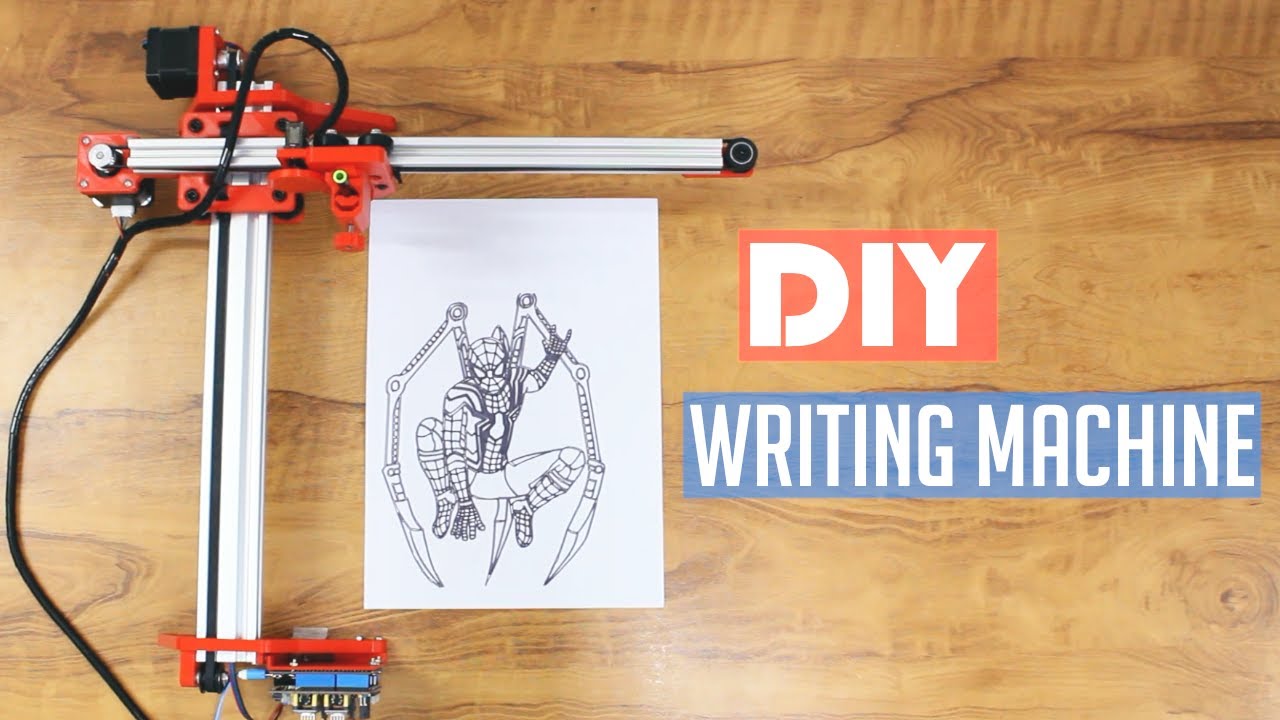
Ever wanted a machine to write your assignments, sketch complex line art, or sign certificates automatically? In this complete project guide, we build an Arduino-powered 2D pen plotter from first principles.
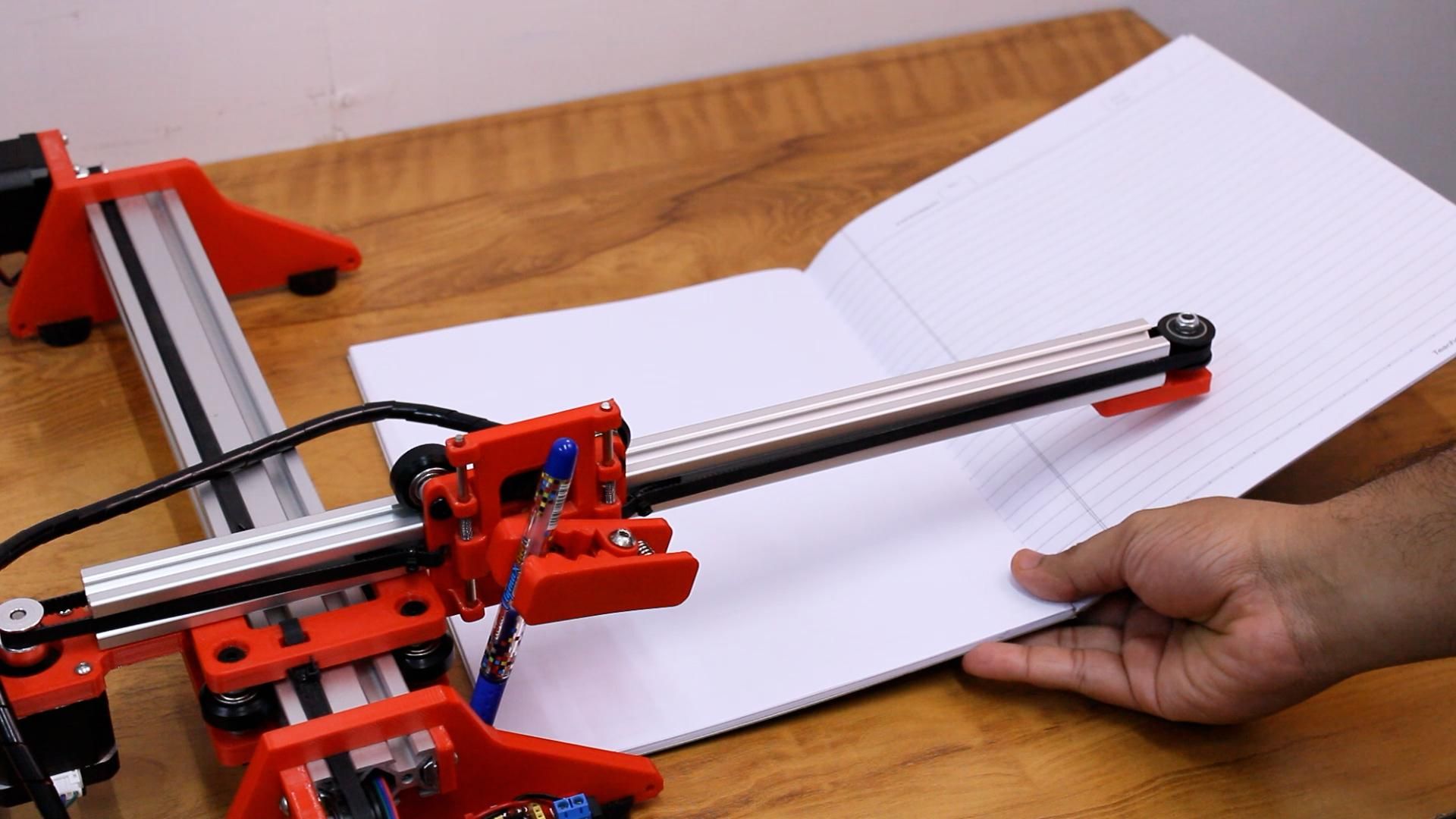
This automated writing machine can write on any flat paper surface using virtually any pen, pencil, sketch marker, or stylus. It interprets standard CNC G-code commands and moves a pen carriage along precision linear rails with micro-stepping accuracy.
📹 Watch the Full Video Tutorial
Prefer to see the machine assembled and drawing in real time?
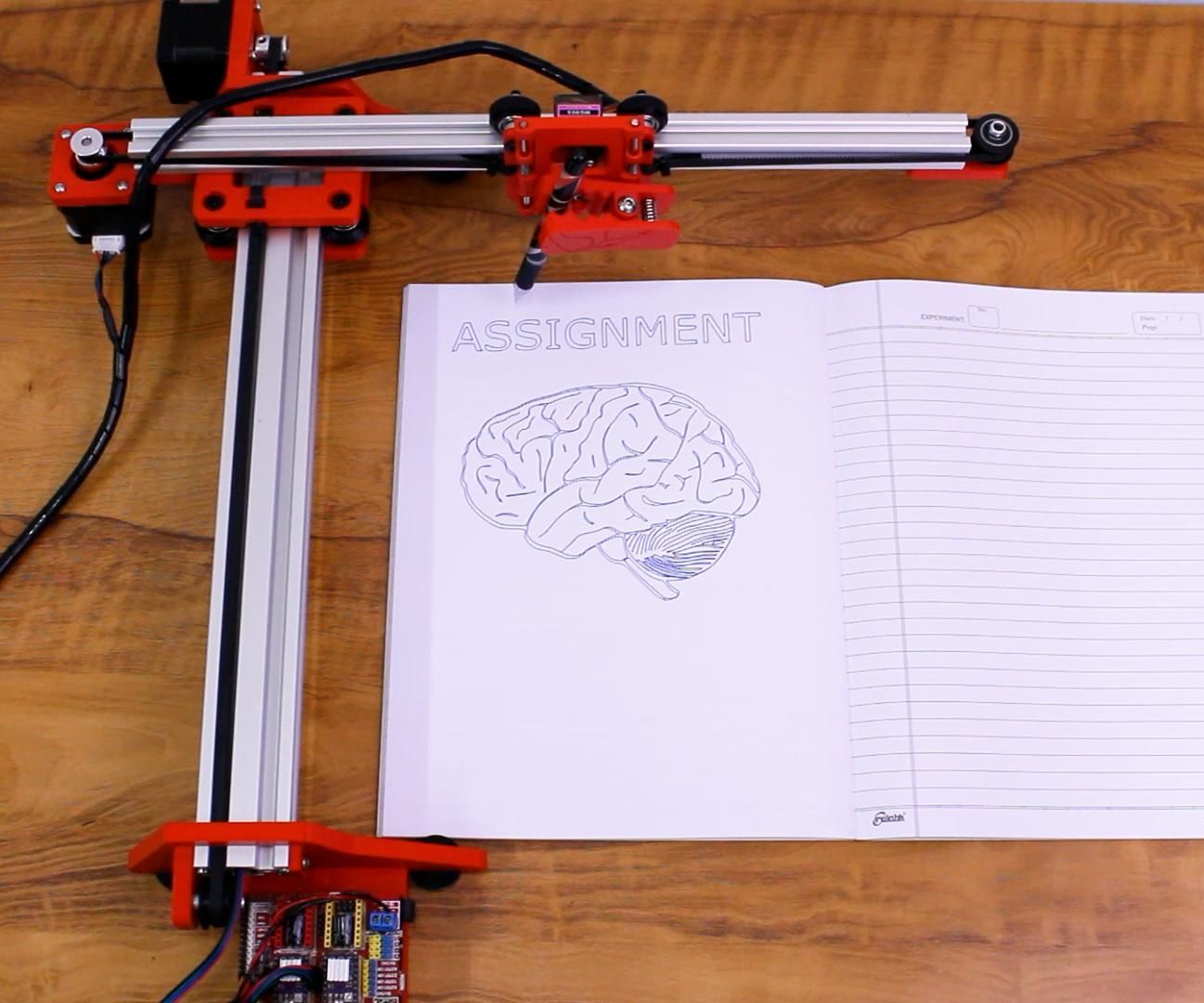
🛠️ What Is a Homework Writing Machine?
A homework writing machine is an automated 2-axis CNC drawing machine. Instead of an extrusion nozzle (like a 3D printer) or a spindle (like a CNC mill), it carries a lightweight pen holder with a miniature micro-servo to lift and press the writing instrument onto paper.
🧰 Required Components & Hardware
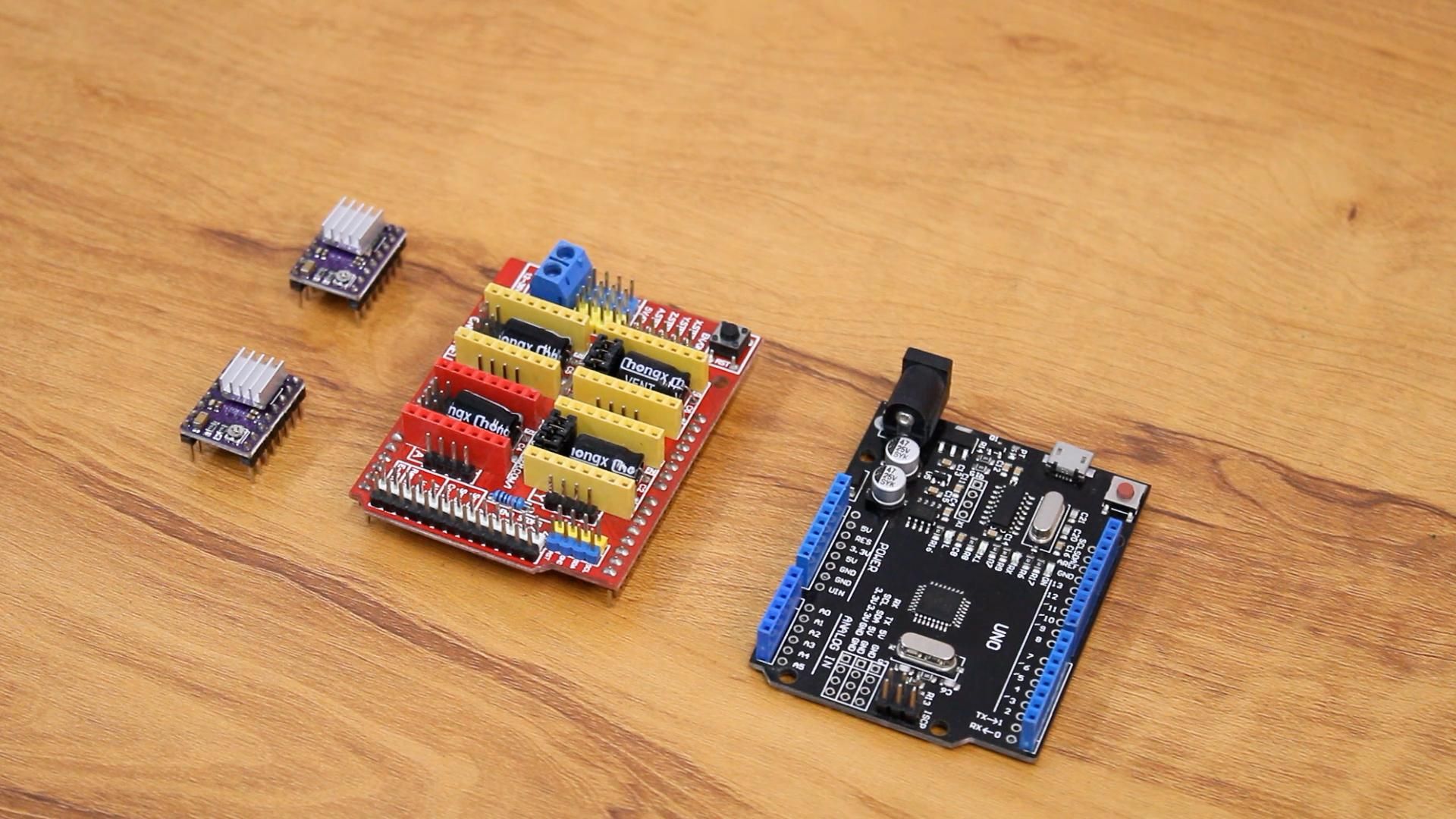
- 1x Arduino Nano or Uno (Main controller flashed with Grbl CNC firmware)
- 2x NEMA 17 Stepper Motors (Precision motion for X and Y axes)
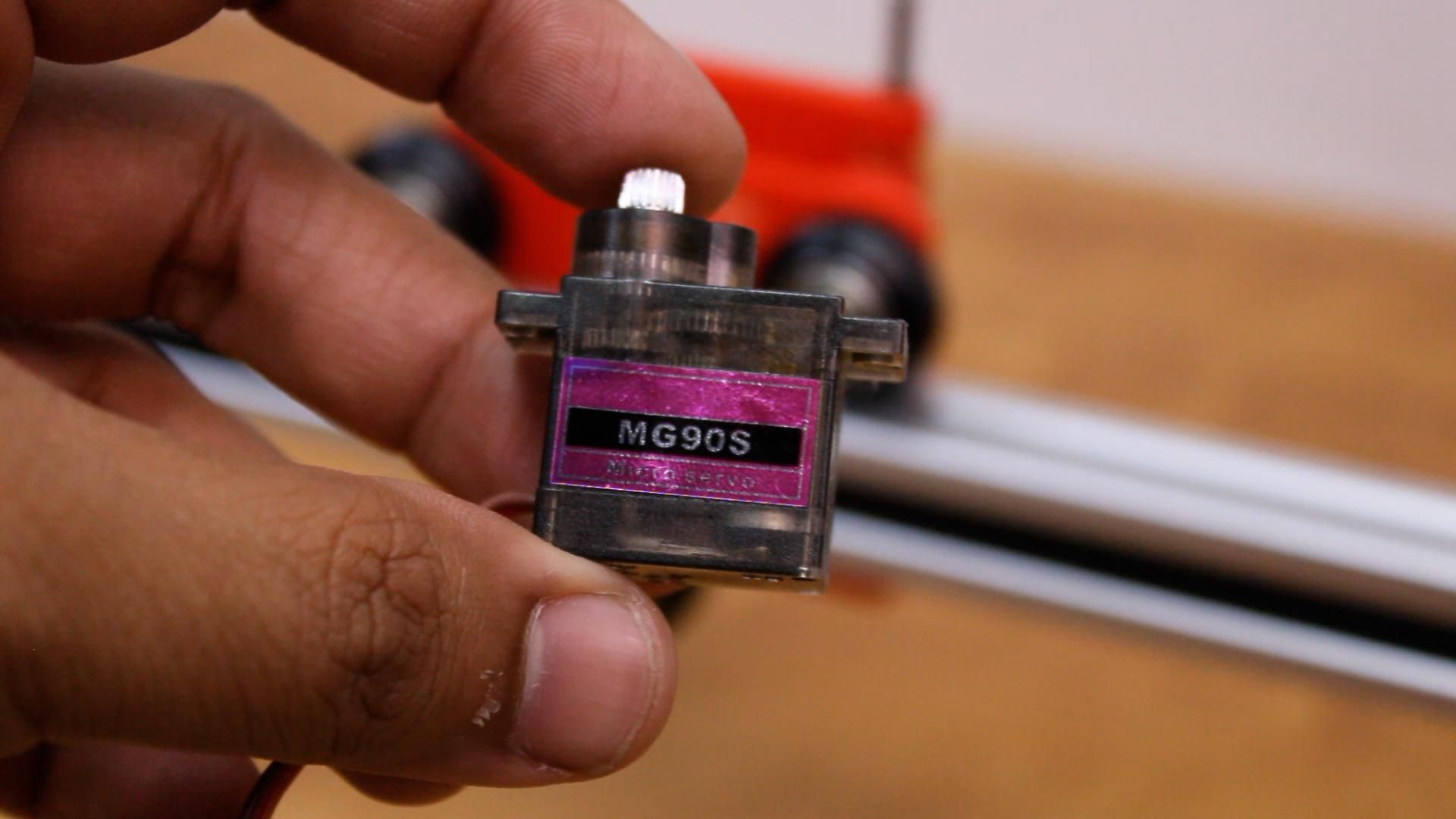
- 1x Micro Servo Motor (SG90) (Z-axis pen lift and drop mechanism)
- 2x L298N or A4988 Stepper Motor Drivers
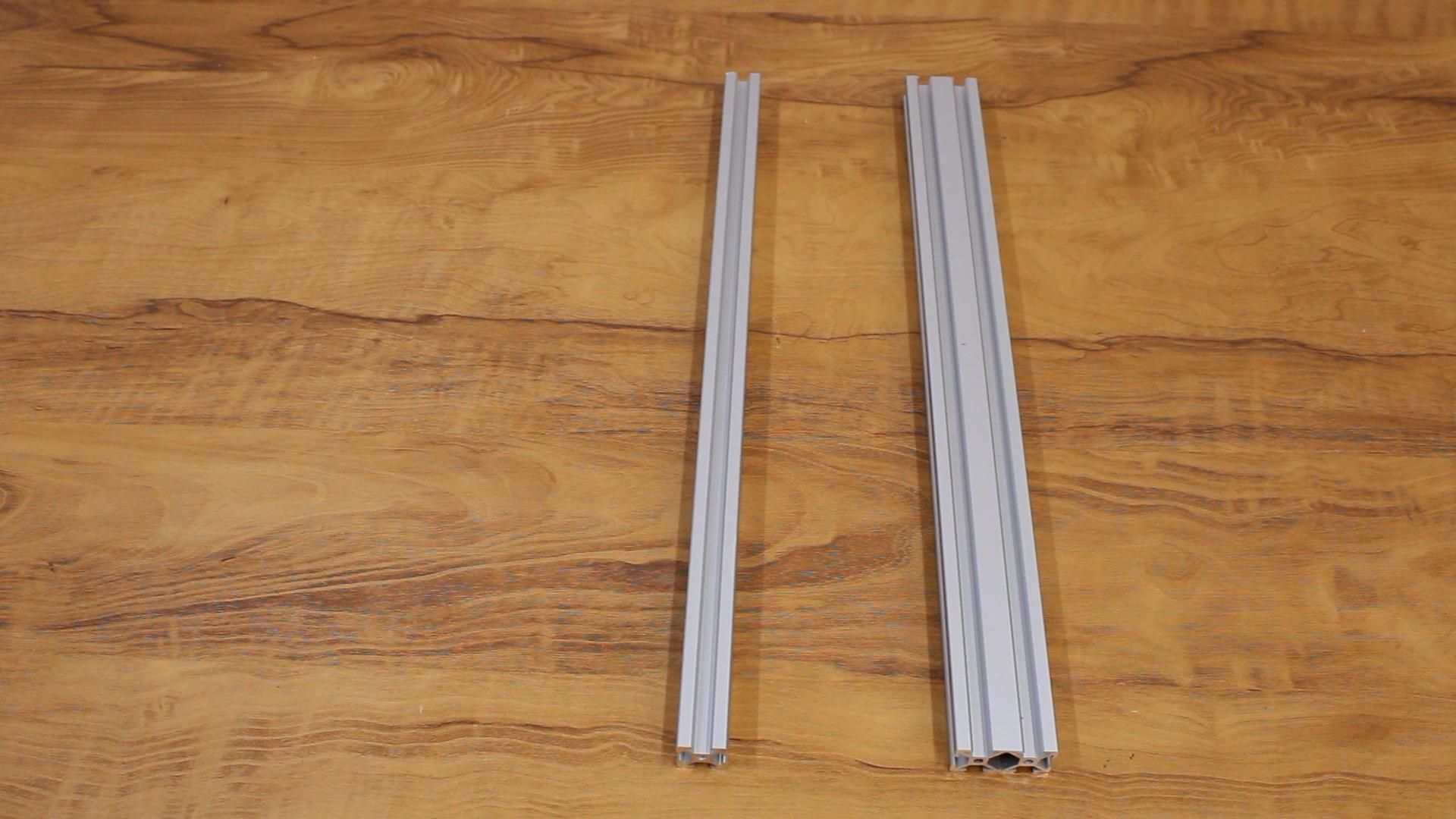
- 2020 & 2040 V-Slot Aluminum Profiles (Rigid structural frame)
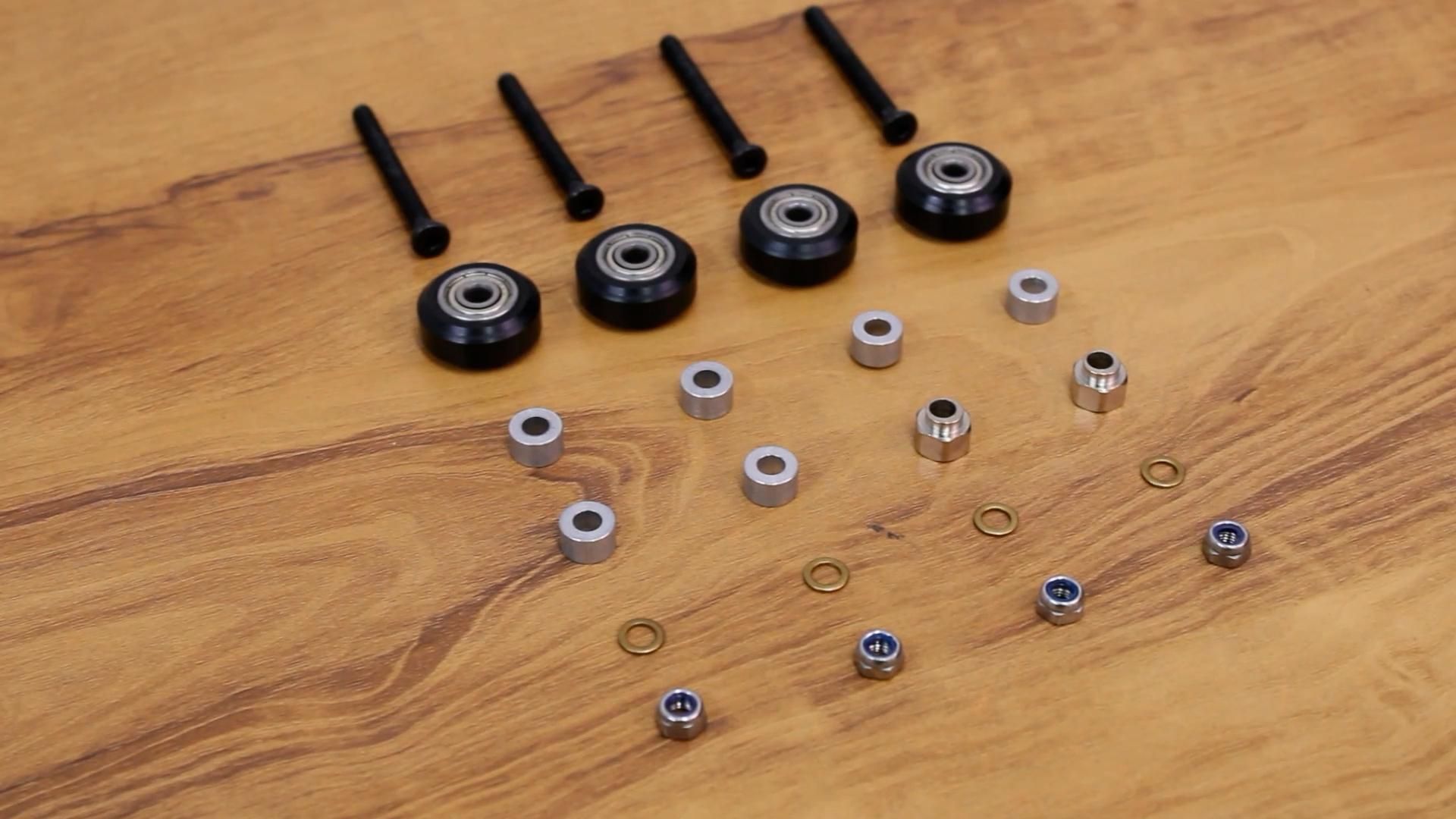
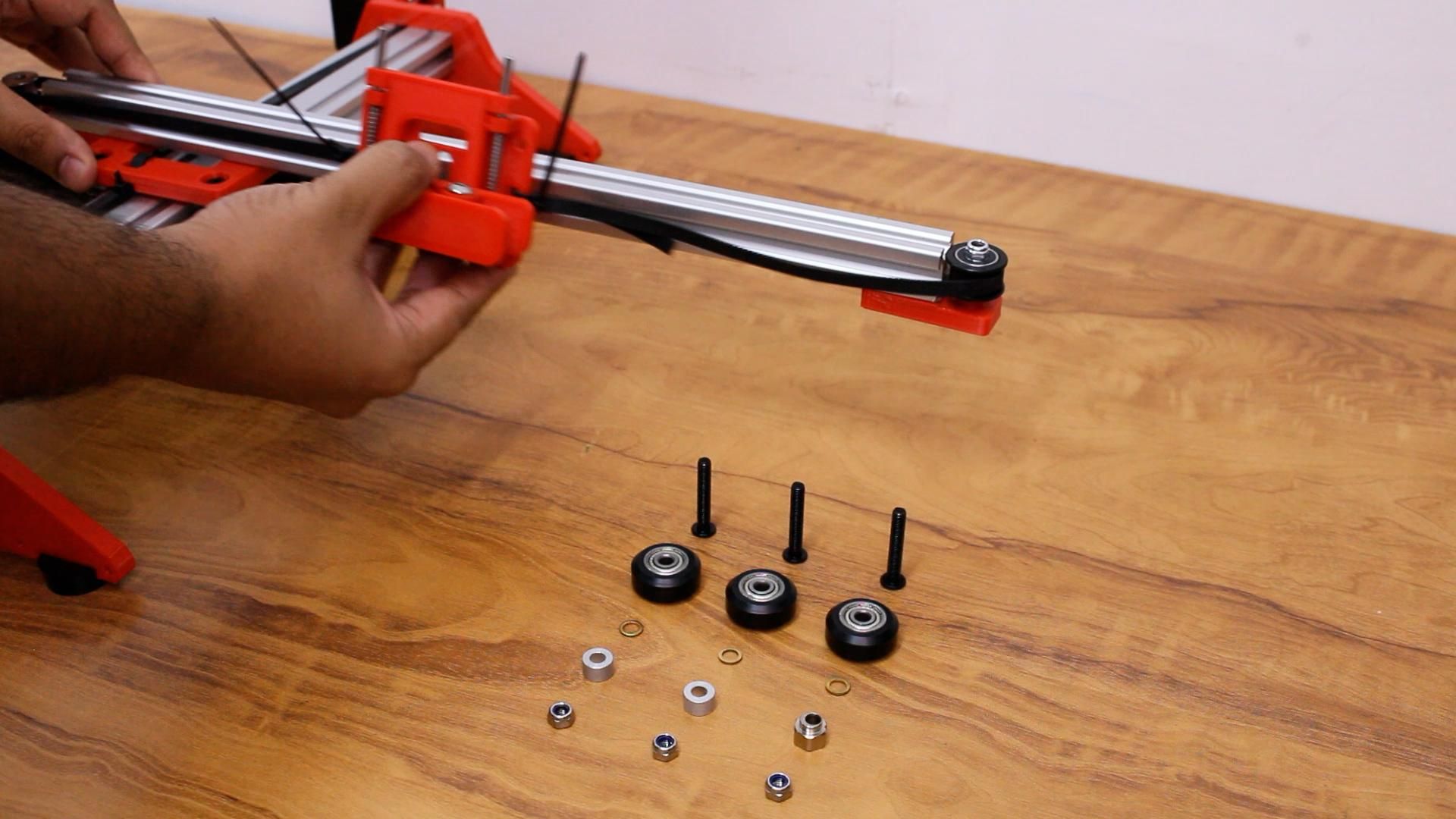
- Delrin V-Slot Wheels & Bearings (Smooth, low-friction rolling)
- GT2 Timing Belts & Pulleys (16-tooth or 20-tooth GT2)
- 12V 2A DC Power Supply
- 3D Printed Carriage & Pen Holder Parts
📐 How It Works
The writing machine relies on coordinate motion control:
- G-code instructions: Text or vector vector drawings are converted into X-Y coordinate waypoints.
- Stepper motors: Drive the GT2 belts to move the horizontal gantry and pen carriage.
- Servo motor: Raises the pen off the paper during travel moves (G0) and lowers it during drawing moves (G1).
🧾 Step-by-Step Build Guide
Step 1: Y-Axis Frame Assembly
Take the 2040mm aluminum V-slot profile and attach the base plates to both ends. Use sliding T-nuts and M4 hex bolts to securely fasten the base plates. Attach rubber feet to the bottom slots to dampen vibration during high-speed drawing.
Step 2: Intersection Plate & Delrin Wheels
Attach the intersection plates and Delrin V-wheel kits to the profile. These Delrin wheels ride smoothly inside the V-slots, ensuring zero wobble and rigid bidirectional tracking.
Step 3: Y-Axis Stepper Motor & GT2 Belt
Mount the NEMA 17 stepper motor onto the motor bracket. Route the GT2 timing belt across the length of the profile, tensioning it firmly to prevent backlash when drawing fine letterforms.
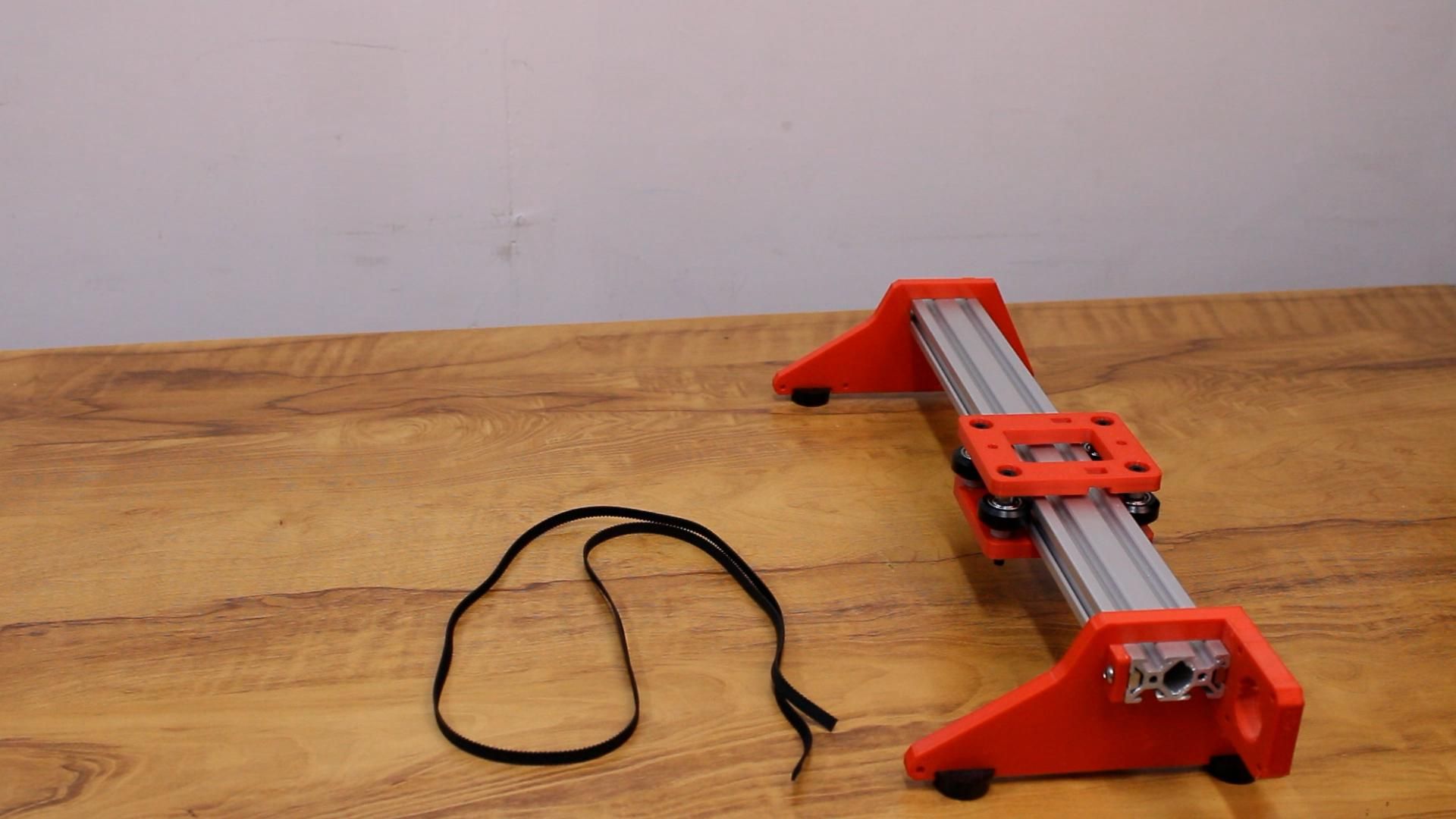
Step 4: X-Axis Crossbeam Assembly
Assemble the transverse X-axis beam across the carriage. This beam holds the pen slider and allows the pen to sweep left-to-right across the page.
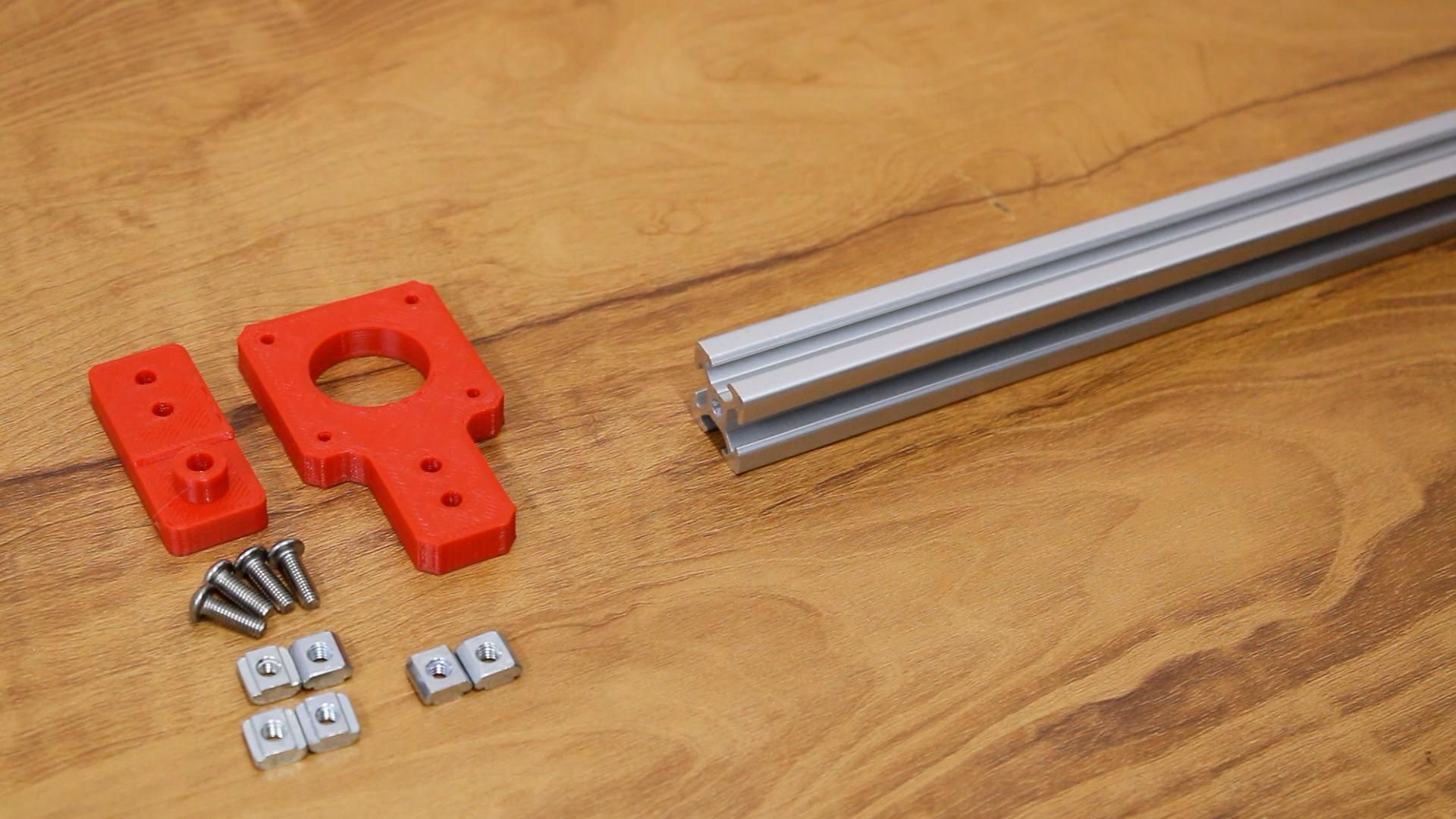
Step 5: X-Axis Motor & Idler Pulleys
Install the second NEMA 17 stepper motor on the carriage with its GT2 drive pulley and idler bearings.
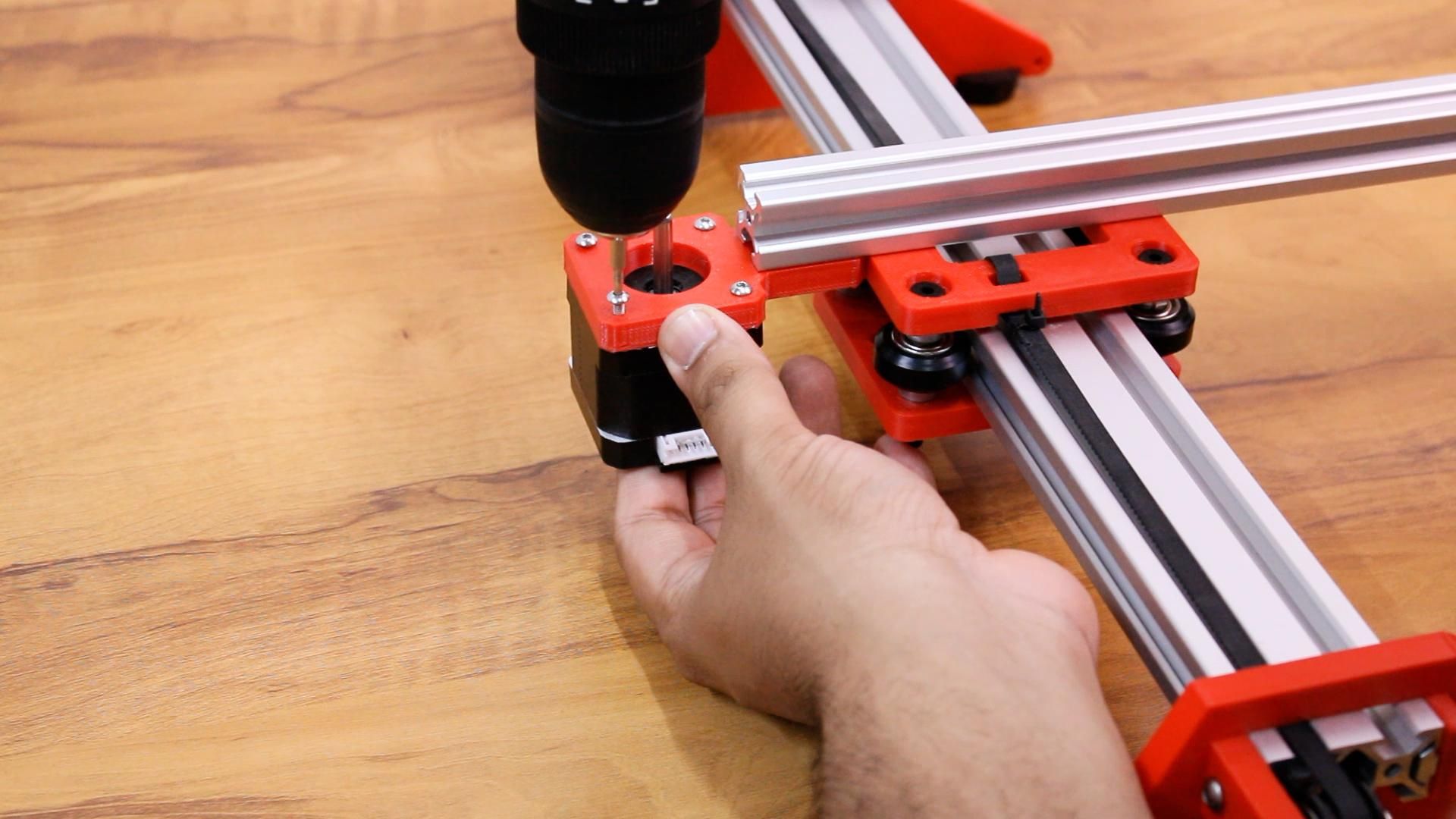
Step 6 & 7: Pen Holder Plate & Carriage Mount
Assemble the 3D-printed pen holder. The pen clamp features dual thumbscrews to accommodate various pen diameters—from ultra-fine ballpoints to thick calligraphy pens and gel markers.
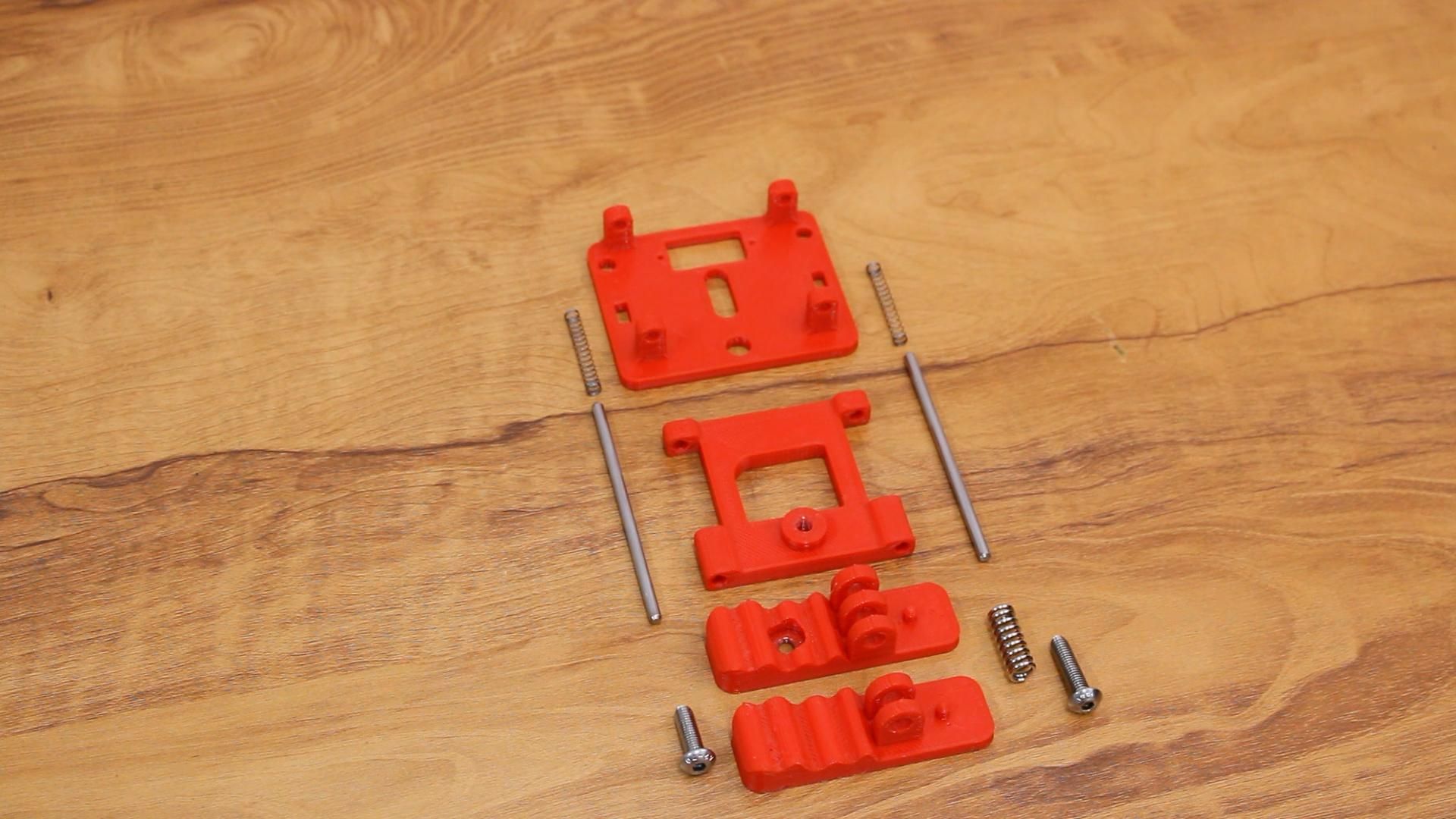
Step 8 & 9: Electronics & Pen-Lift Micro Servo
Mount the SG90 micro-servo above the pen carriage. Attach a small push-rod linkage: when the servo horn rotates, it gently presses down or lifts the pen off the paper without tearing the sheet.
Step 10: Wiring, Firmware & Test Run
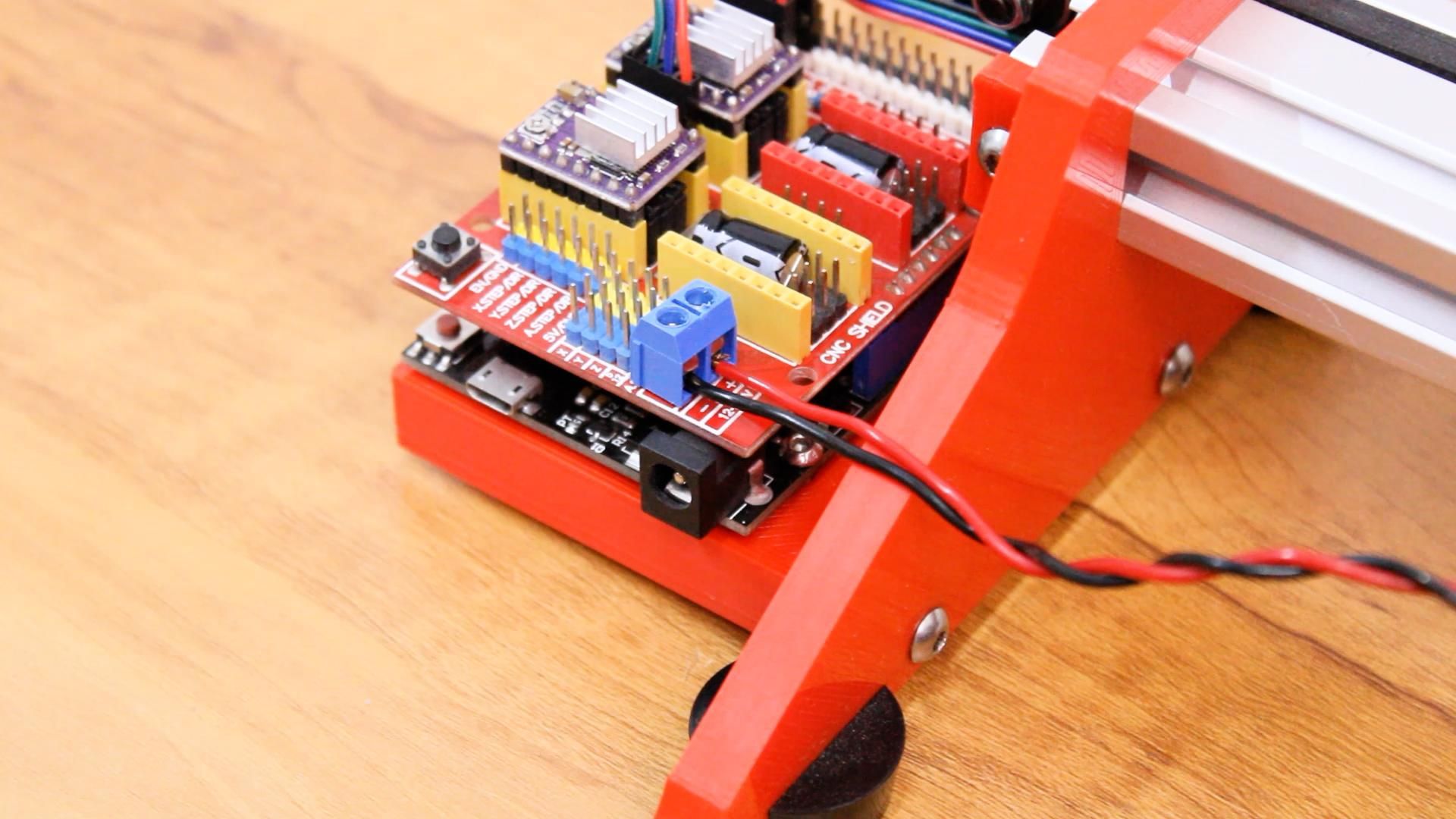
Connect the motor driver step and direction pins to the Arduino Nano. Flash Grbl with Servo Support (MI Grbl) onto the Arduino. Use Universal G-code Sender (UGS) to home the machine and verify coordinate orientation.
Step 11: Final Results & Drawing in Action
Load up Inkscape with the Hershey Text or G-code tools extension to generate handwriting paths. Send the file over USB, and watch the pen trace smooth, realistic handwritten notes!
💻 Software Workflow: From Text to Pen
- Inkscape: Type your homework text using handwriting-style fonts or single-stroke SVG fonts.
- G-code Extension: Convert curves and letters into vector toolpaths.
- Universal G-code Sender: Connect to Arduino COM port at 115200 baud and stream the file.
💬 Final Takeaway
Building this automated writing machine gives you hands-on mastery of 2D CNC motion, stepper driver microstepping, servo kinematics, and G-code parsing. It’s an ideal weekend engineering build that bridges software code with real-world physical motion.
Engineering Discussions
0 CommentsTechnical troubleshooting, firmware questions, and builder notes from the Superb Tech community.